Honors Contract and Online History Forms:

|
| ||||
TA and Office Aide Contracts
|
| ||||
Early Dismissal (12th grade only)
| early_dismissal-late_arrival_2023.pdf |
After you print out and sign your form, this is how to submit it:
Step 1: Who is your counselor?

You are assigned a counselor based on your last name, so locate your counselor above.
Step 2: Write Down Your Counselor's Google Classroom Code
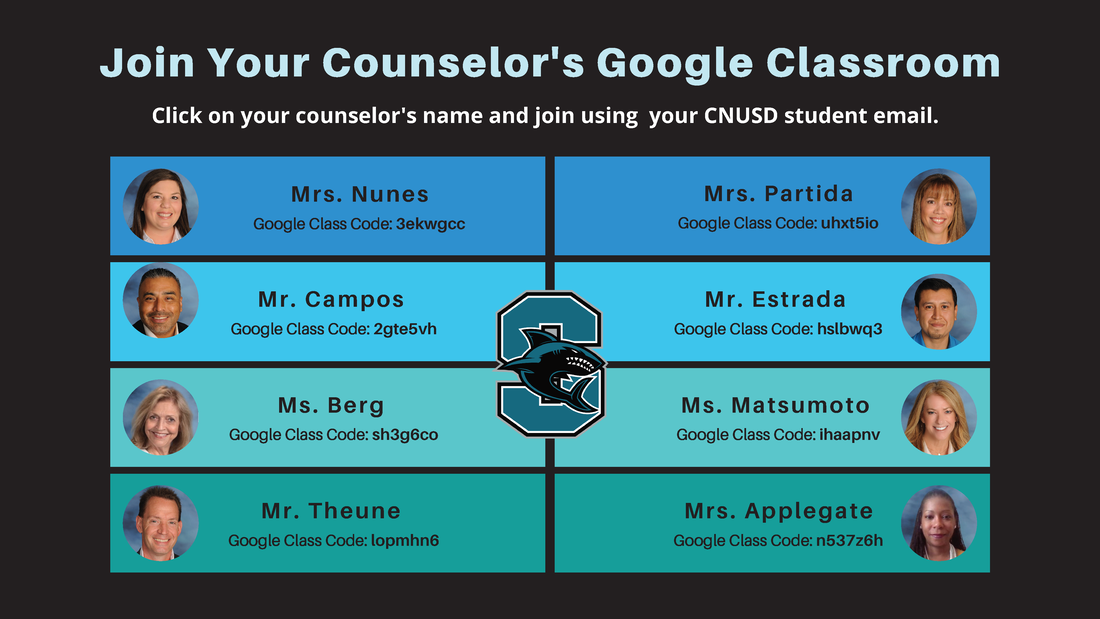
Step 3: Join Your Counselor's Classroom
Step 4: Submit Your Form to Your Counselor
|
How to submit a document that you have signed and scanned:
|
How to submit a document after you take a picture of it:
|
|
|
|